SERVICE NOW
Azure VM fleet — public and private IPs changed through the Azure SDK.
Private client project — not publicly deployed.
Screenshots
Overview
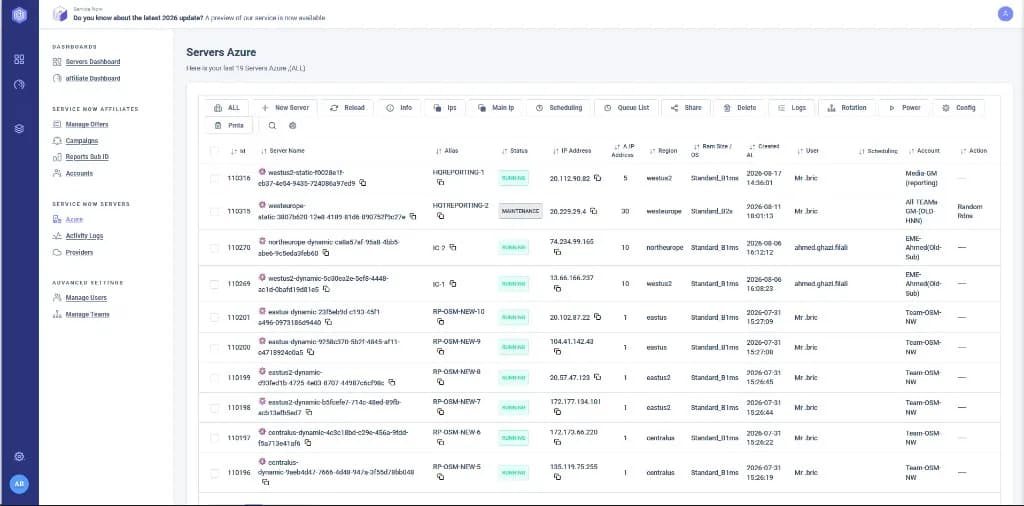
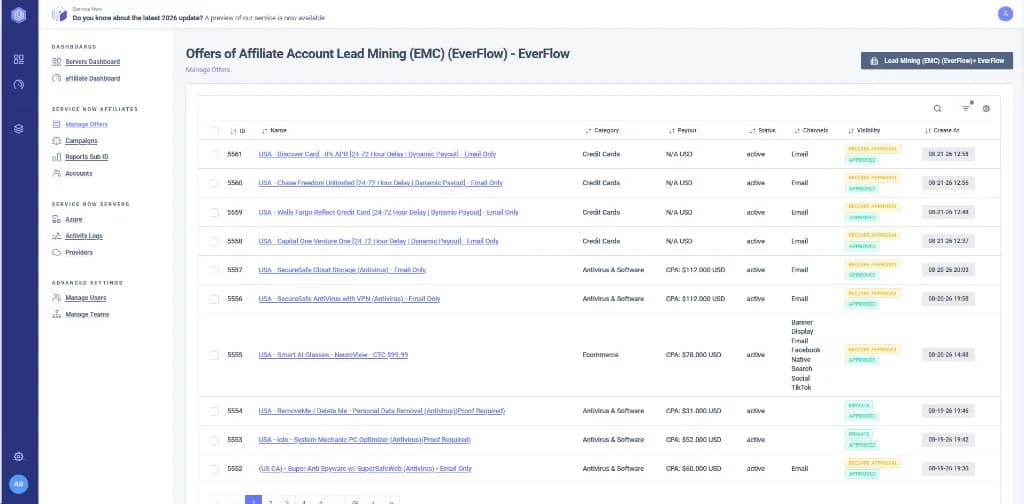
Operations console for Azure VMs — inventory, public and private IPs from the API, DNS updates, and IP changes through the Azure SDK. Affiliate offers and server costs sit in the same product, since the same team running the VM fleet was also tracking affiliate campaigns and needed both in one place rather than switching between the Azure portal and a separate spreadsheet.
The problem
VMs, public IPs, private IPs and DNS were handled one by one in the Azure portal, with no shared inventory for the fleet. Checking which VM had which public IP, or updating a DNS record after an IP changed, meant opening each machine's page in the portal individually — there was no single list showing status, region, size and IP together, and no way to see server costs next to the campaigns those servers were actually running.
The solution
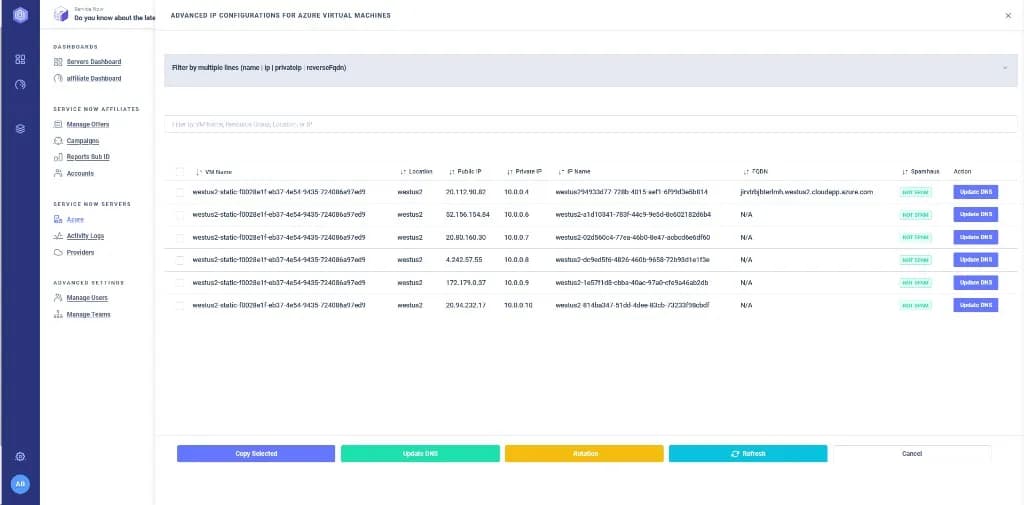
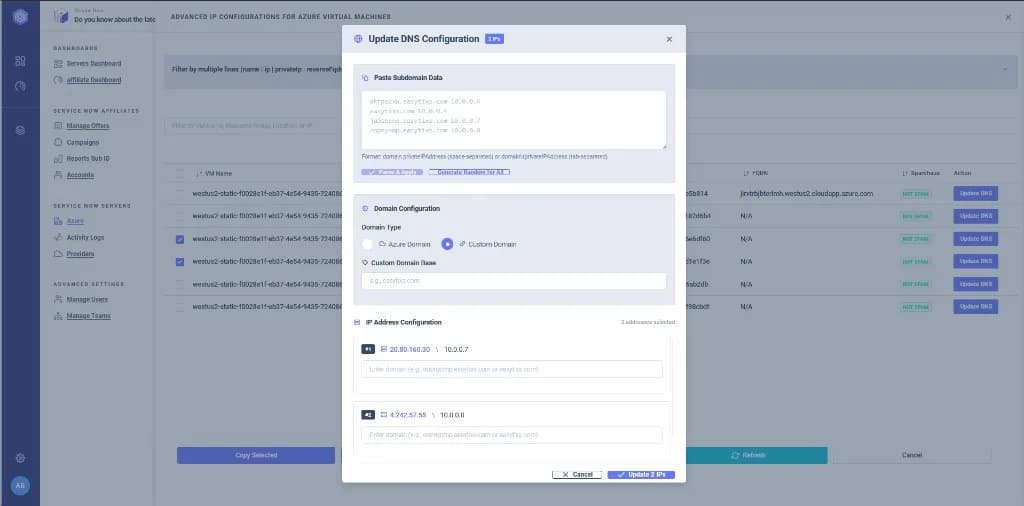
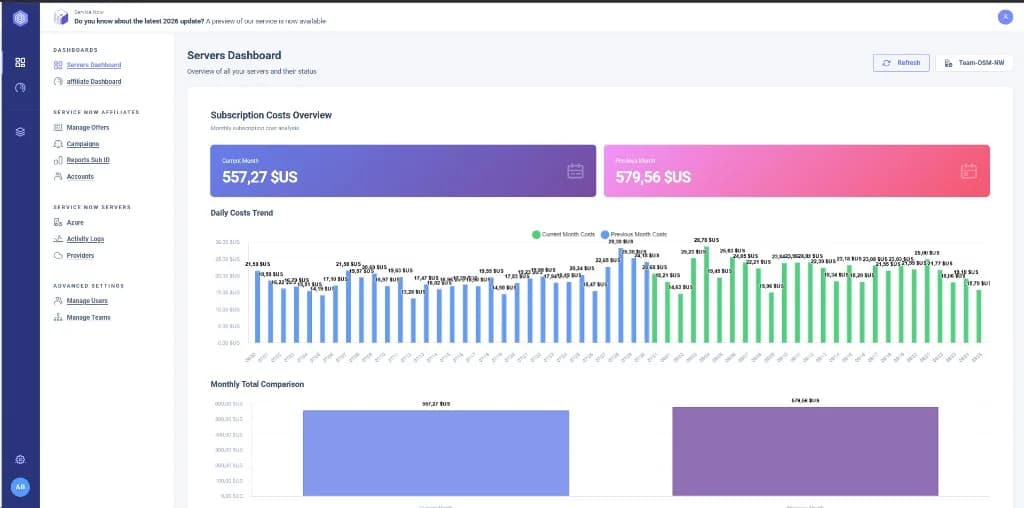
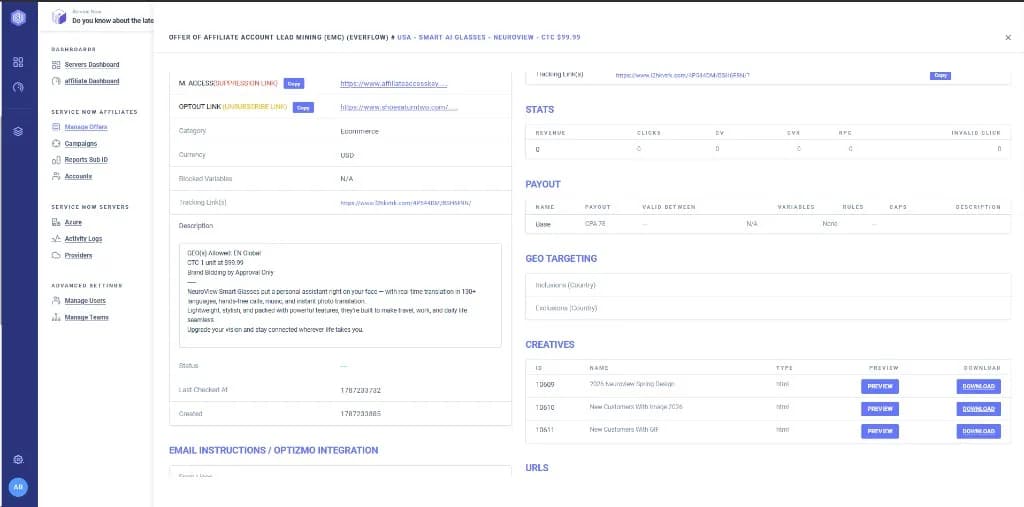
Console on the Azure SDK: list VMs, read public and private IPs, update DNS for selected addresses, change IPs from the API. Teams, users and activity logs next to it. The VM list pulls status, region, size and public IP directly from the Azure API into one table, and DNS names are shown next to the IPs they resolve to, so a stale or missing DNS entry is visible at a glance. A servers dashboard rolls the fleet up against the Azure subscription's cost, and the same console tracks affiliate offers — campaigns, tracking links, creatives, payout and geo rules — since the offers and the servers running them share an owner.
Role
Full Stack Developer — Azure SDK integration, IP and DNS APIs, operations UI. Built the layer that turns individual Azure API calls into a single fleet-wide table and bulk actions.
Result
The fleet is managed from one dashboard: VMs, public/private IPs, DNS and IP changes, alongside server costs and affiliate offers that used to live in a separate spreadsheet.
Features
- Azure VM inventory — status, region, size, public IP
- Public and private IP tables from the Azure API
- Change IPs through the Azure SDK
- DNS update for selected addresses
- Server cost overview for the Azure subscription
- Affiliate offers and campaigns in the same console
Technology

Bric Reda is a full stack developer based in Tangier, Morocco, building Laravel, React and TypeScript software — SaaS platforms, ERP systems and production applications for businesses in Morocco and Europe.
More about Bric Reda